A unified control plane for real-time data streaming that brings together Apache Kafka®, Apache Flink®, and beyond. Built for scale, engineered for speed. Factor Platform delivers full visibility and control across technologies, regions, and teams.
Factor Platform provides the definitive control plane for your data ecosystem. Unifying Kafka and Flink today, it is architected to be the single source of truth for all of your data workloads, from streaming to batch and analytics. It delivers secure operational control and standardized governance, empowering engineers with deep technical insight. For the business, it provides critical intelligence through native lineage, data catalogs, and FinOps intelligence, creating a unified understanding of your entire data infrastructure.
Unified visibility for your data, from real-time streaming with Kafka and Flink to future support for batch and analytics.
Federated control across 100+ clusters, regions, and multi-cloud deployments
Governance built-in: RBAC, SAML, audit logs, catalogs, and data masking
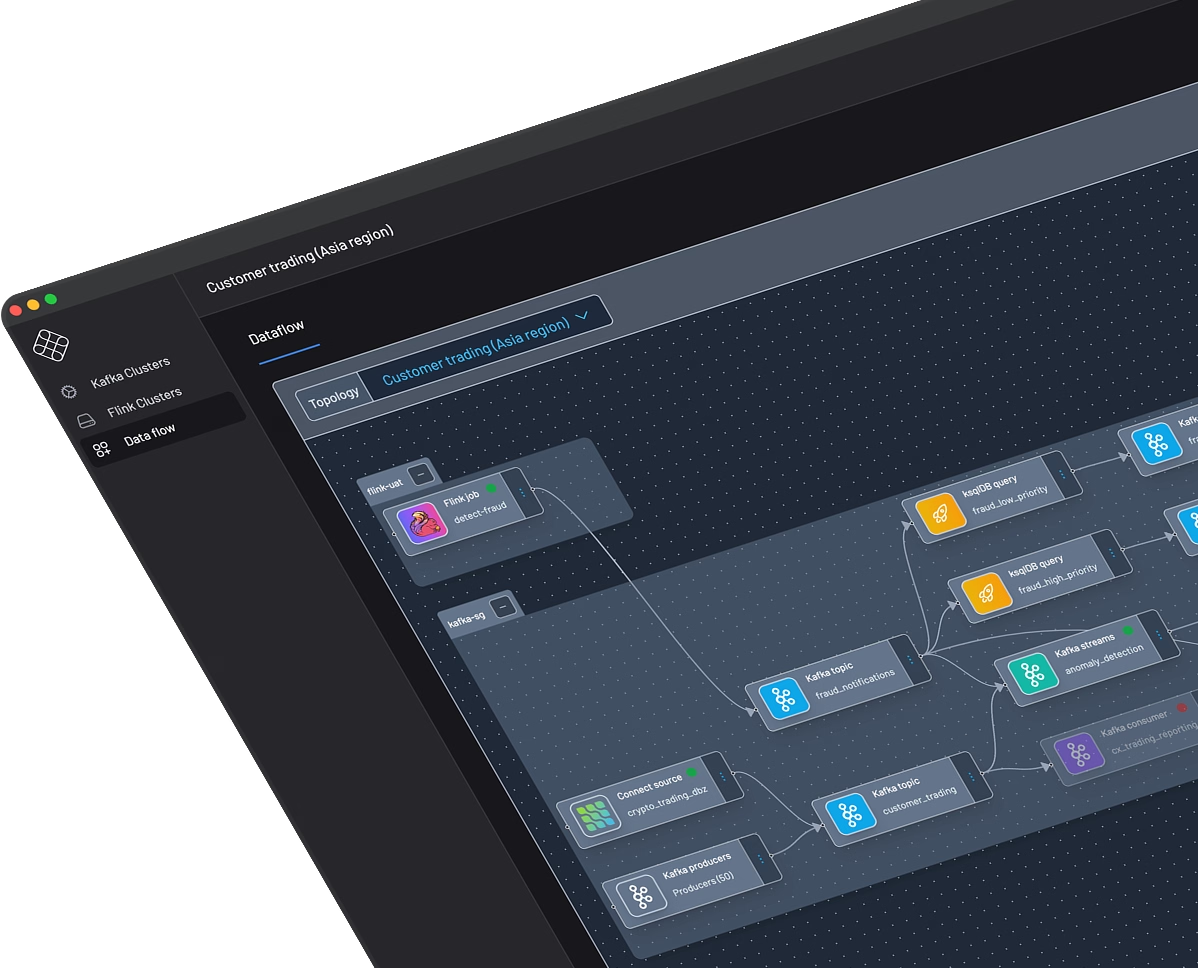
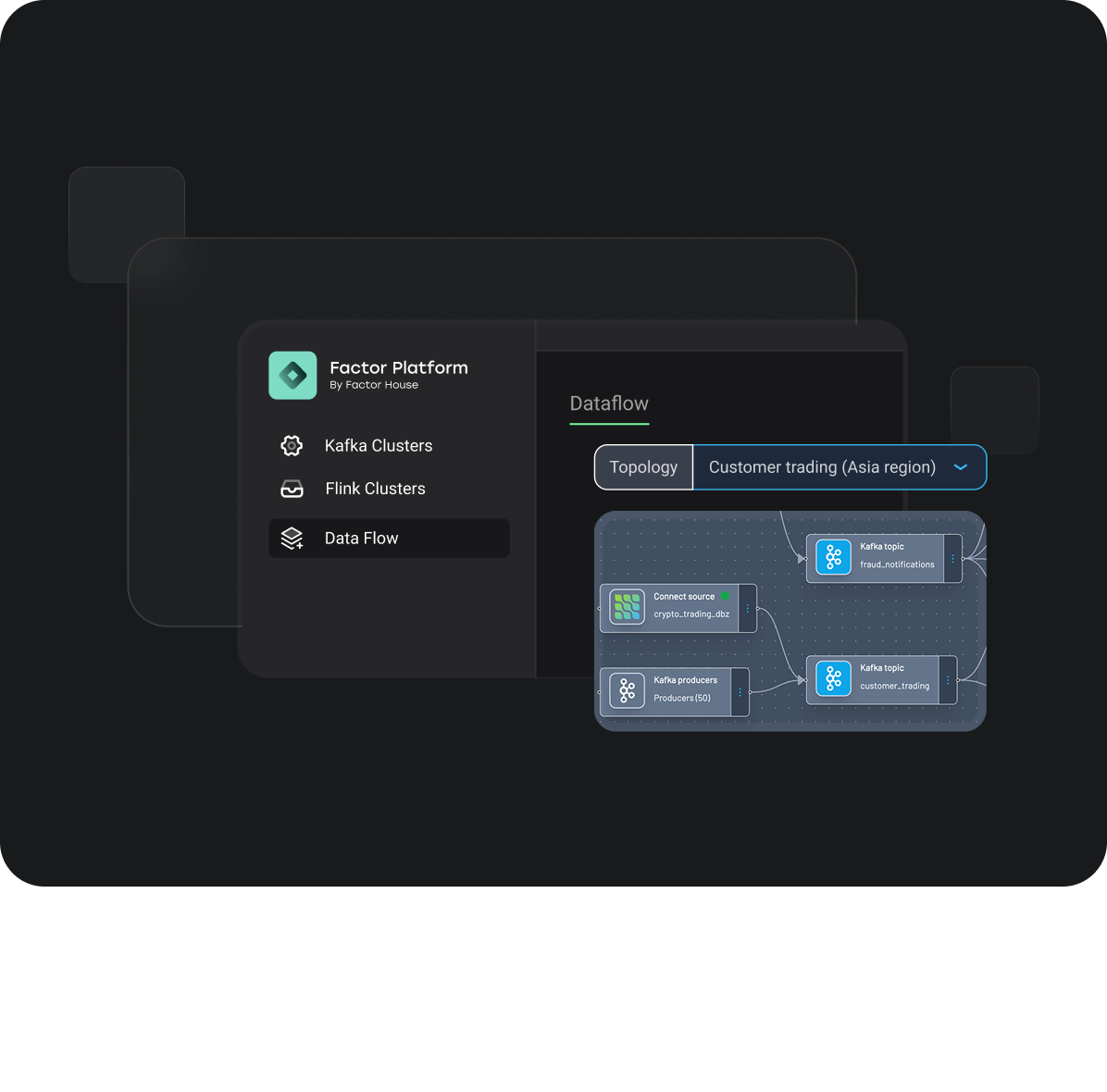
End-to-end lineage for audit, compliance, and faster troubleshooting
FinOps-ready insights for cost, usage, and efficiency across teams
Centralized configuration, with persistent settings and live updates
Why Factor Platform Is a Game Changer!
One interface to rule them all
Unify your data ecosystem with a single control plane built for Kafka, Flink, and the future of your data stack.
Turnkey Enterprise Functionality
Secure your data with a native framework that includes multi-tenancy, SSO/SAML, RBAC, and audit logs, ready for SOC2 compliance and air-gapped deployments.
Composable and extensible, deploy-anywhere
Run a consistent platform on any infrastructure, from cloud to on-premise. Core intelligence like data lineage, catalogs, and FinOps is natively integrated, not an afterthought.
Federated control & configuration
Define security and governance policies once and enforce them everywhere. Manage users, jobs, and configurations consistently across all your clusters and teams.
Data lineage you can trust
Get a complete, automated map of your data's journey. Accelerate root-cause analysis, perform impact assessments with confidence, and satisfy audit requirements.
FinOps-ready visibility
Attribute infrastructure costs directly to teams and projects to optimize spend, drive accountability, and make data-driven architectural decisions.
Catalog-driven intelligence
Bridge the gap between business and technology. Our native catalog enriches technical assets with business context, creating a shared vocabulary for your data.
Global observability
Break down monitoring silos by correlating health and performance metrics across your entire stack. Get a complete, real-time picture of your infrastructure from Kafka to Flink and beyond.
What Makes Factor Platform Unique?
Control Plane for Your Entire Data Workloads
The first unified control plane built to master your complete data landscape, from real-time streaming with Kafka and Flink to batch, analytics, and beyond.
Real-Time Insights at Scale
Live insights across 100+ clusters, regions, and clouds.
Composable Architecture
Native lineage, catalogs, and FinOps baked in from day one.
Enterprise-Ready from Day One
Designed for the complexity of global infrastructure. Trusted by industry leaders.
Trusted by Industry Leaders
Built by streaming experts, relied on by Fortune 500s.
Best-in-class UI
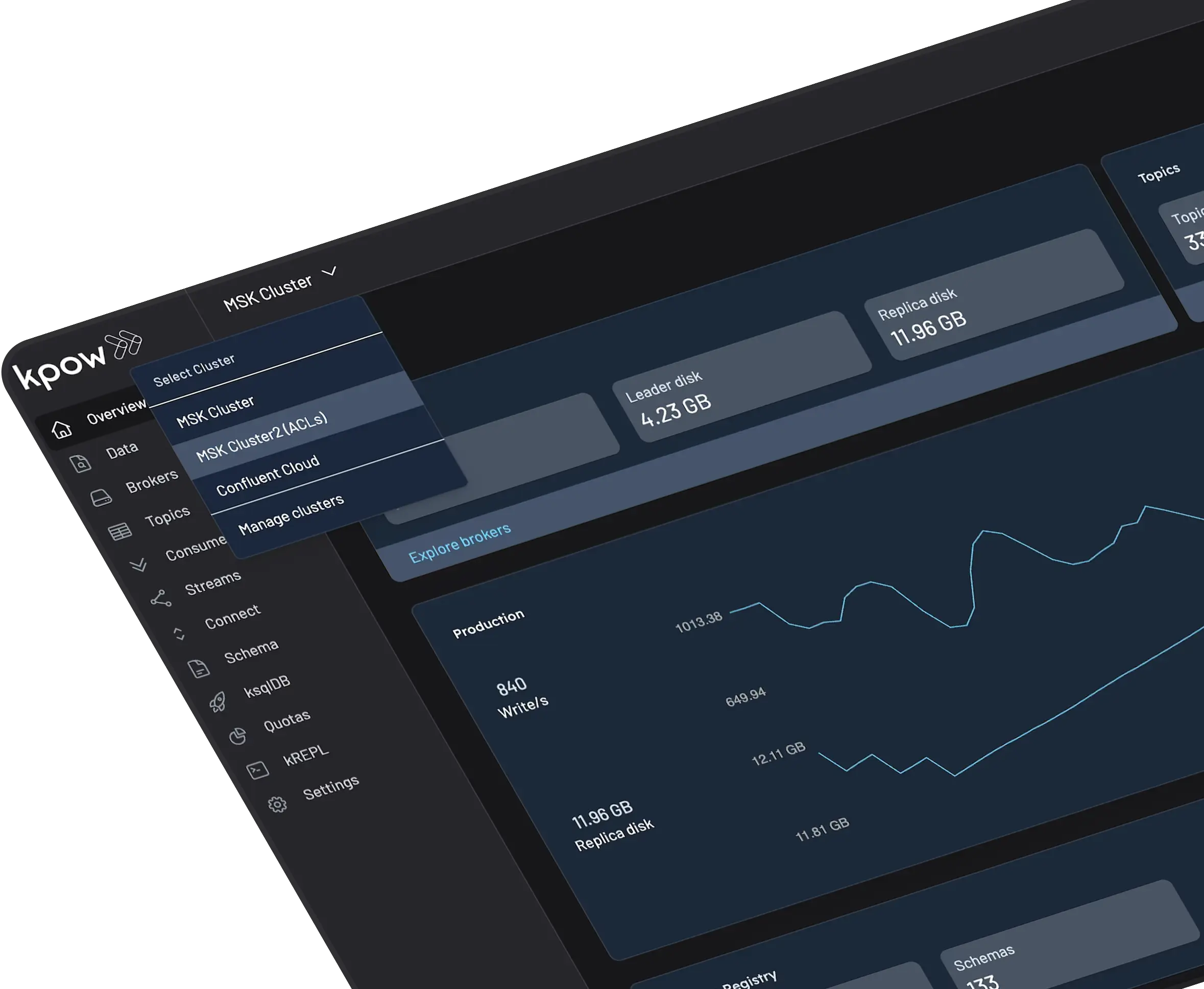
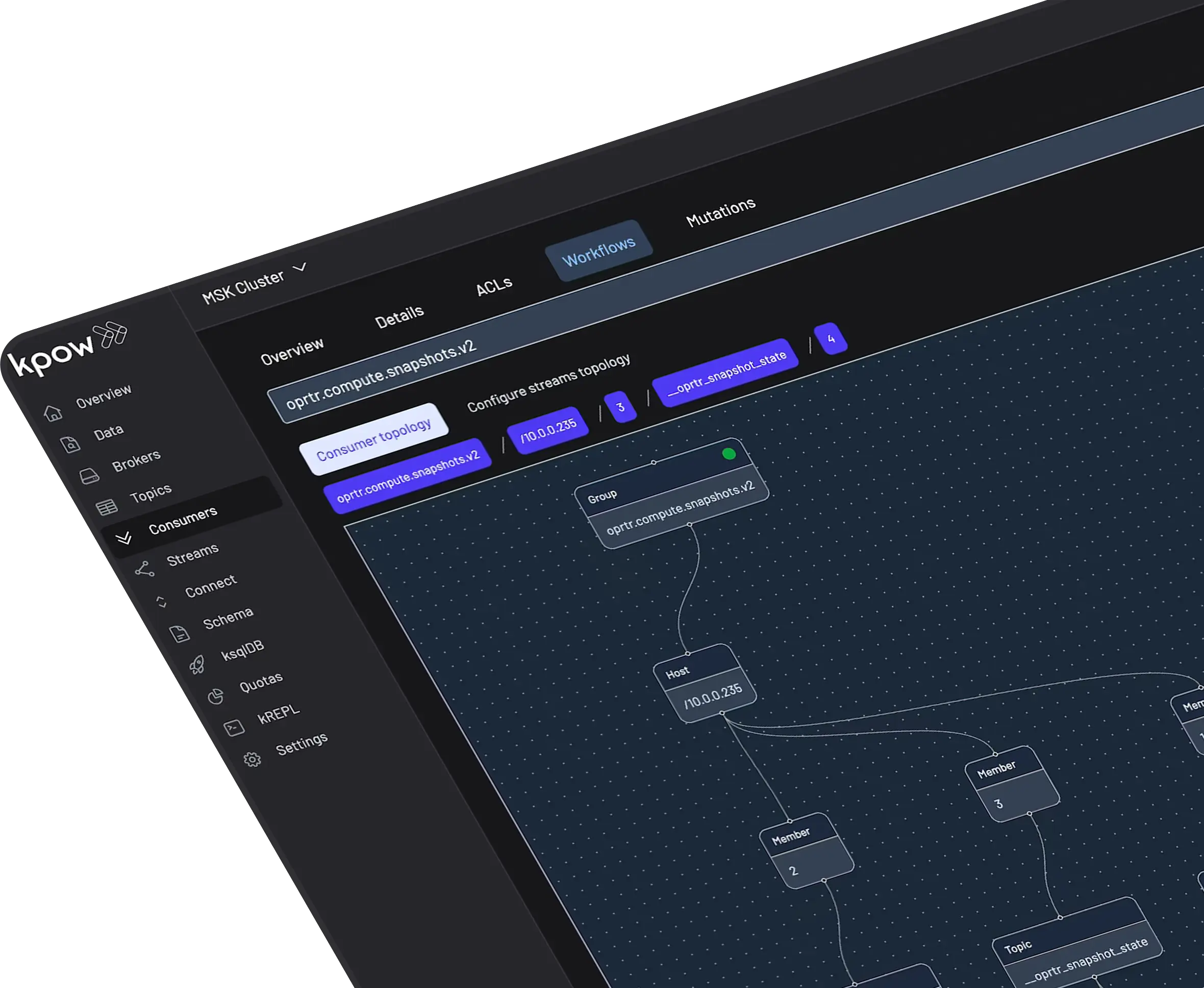
Our intuitive and efficient UI places key data at your engineers' fingertips. Kpow covers the full surface area of Kafka, Schema, Connect, and ksqlDB without inventing new ideas or concepts.
Fast
Blazing fast multi-topic search with built-in JQ filtering allows your team to reduce time to resolution of production issues and work more effectively in general system development.
Truly Vendor-agnostic
Deploy Kpow how and where you need it, on-premise, in-the-cloud, or air-gapped. Compatible with Apache Kafka 1.0+ and all MSPs, Kpow provides complete observability, visualization, and management capabilities regardless of your underlying Kafka provider.
Secure
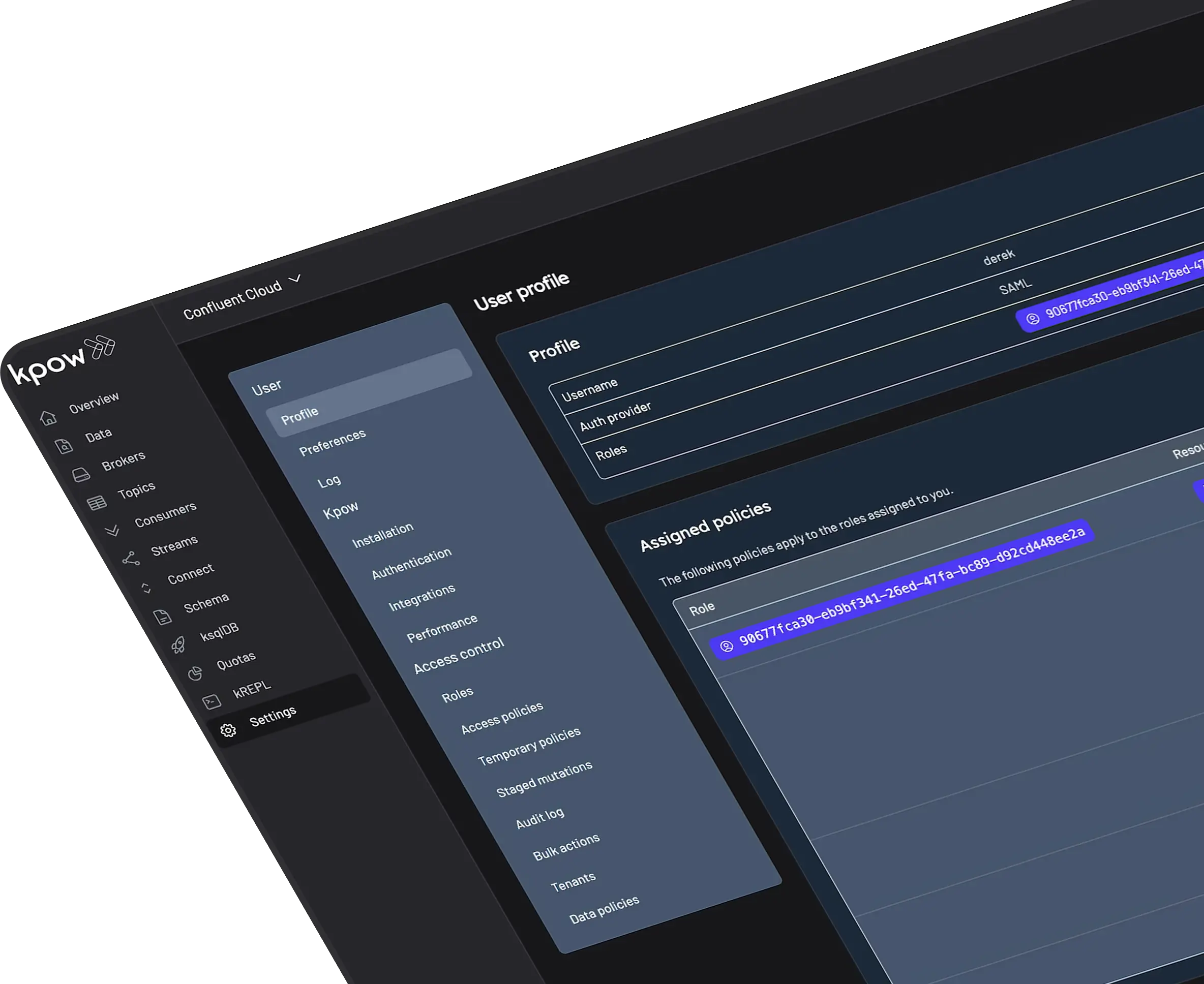
Trusted by Fortune 500 companies, Kpow integrates with authentication providers and implements RBAC, Multi-Tenancy, Data Masking, an Audit Log and more.
Lower TCO
Deploy Kpow how and where you need it, on-premise, in-the-cloud, or air-gapped. Compatible with Apache Kafka 1.0+ and all MSPs, Kpow provides complete observability, visualization, and management capabilities regardless of your underlying Kafka provider.
How Teams Use Factor Platform
From incident response to data validation, Factor Platform accelerates workflows:
Streaming Infrastructure Management
Operate Flink and Kafka side-by-side, from one interface.
Platform-Wide Observability
Surface metrics, jobs, lineage, and data flows across technologies and clouds.
Governance at Scale
Standardize policies, enforce access, and manage catalogs across distributed teams.
FinOps Optimization
Gain live cost visibility across workloads to manage efficiency and accountability.
Future-Ready Architecture
Support for new tools and integrations without rework or migration risk.
What Customers Say
Engineering leaders trust Factor House to deliver reliable, scalable, and developer‑friendly solutions.
“I am grateful for the empathy and passion the Factor House team has shown in partnering with Airwallex to better understand our pain points to help drive the evolution of this brilliant product.”
Unlock the full potential of your dedicated OCI Streaming with Apache Kafka cluster. This guide shows you how to integrate Kpow with your OCI brokers and self-hosted Kafka Connect and Schema Registry, unifying them into a single, developer-ready toolkit for complete visibility and control over your entire Kafka ecosystem.
When working with real-time data on Oracle Cloud Infrastructure (OCI), you have two powerful, Kafka-compatible streaming services to choose from:
OCI Streaming with Apache Kafka: A dedicated, managed service that gives you full control over your own Apache Kafka cluster.
OCI Streaming: A serverless, Kafka-compatible platform designed for effortless, scalable data ingestion.
Choosing the dedicated OCI Streaming with Apache Kafka service gives you maximum control and the complete functionality of open-source Kafka. However, this control comes with a trade-off: unlike some other managed platforms, OCI does not provide managed Kafka Connect or Schema Registry services, recommending users provision them on custom instances.
This guide will walk you through integrating Kpow with your OCI Kafka cluster, alongside self-hosted instances of Kafka Connect and Schema Registry. The result is a complete, developer-ready environment that provides full visibility and control over your entire Kafka ecosystem.
❗ Note on the serverless OCI Streaming service: While you can connect Kpow to OCI's serverless offering, its functionality is limited because some Kafka APIs are yet to be implemented. Our OCI provider documentation explains how to connect, and you can review the specific API gaps in the official Oracle documentation.
Before creating a Kafka cluster, you must set up the necessary network infrastructure within your OCI tenancy. The Kafka cluster itself is deployed directly into this network, and this setup is also what ensures that your client applications (like Kpow) can securely connect to the brokers.
A Virtual Cloud Network (VCN): The foundational network for your cloud resources.
A Subnet: A subdivision of your VCN where you will launch the Kafka cluster and client VM.
Security Rules: Ingress rules configured in a Security List or Network Security Group to allow traffic on the required ports. For this guide, which uses SASL/SCRAM, you must open port 9092. If you were using mTLS, you would open port 9093.
Create a Vault Secret
OCI Kafka leverages the OCI Vault service to securely manage the credentials used for SASL/SCRAM authentication.
First, create a Vault in your desired compartment. Inside that Vault, create a new Secret with the following JSON content, replacing the placeholder values with your desired username and a strong password.
To allow OCI to manage your Kafka cluster and its associated network resources, you must create several IAM policies. These policies grant permissions to both user groups (for administrative actions) and the Kafka service principal (for operational tasks).
With the prerequisites in place, you can now create your Kafka cluster from the OCI console.
Navigate to Developer Services > Application Integration > OCI Streaming with Apache Kafka.
Click Create cluster and follow the wizard:
Cluster settings: Provide a name, select your compartment, and choose a Kafka version (e.g., 3.7).
Broker settings: Choose the number of brokers, the OCPU count per broker, and the block volume storage per broker.
Cluster configuration: OCI creates a default configuration for the cluster. You can review and edit its properties here. For this guide, add auto.create.topics.enable=true to the default configuration. Note that after creation, the cluster's configuration can only be changed using the OCI CLI or SDK.
Security settings: This section is for configuring Mutual TLS (mTLS). Since this guide uses SASL/SCRAM, leave this section blank. We will configure security after the cluster is created.
Networking: Choose the VCN and subnet you configured in the prerequisites.
Review your settings and click Create. OCI will begin provisioning your dedicated Kafka cluster.
Once the cluster's status becomes Active, select it from the cluster list page to view its details.
From the details page, select the Actions menu and then select Update SASL SCRAM.
In the Update SASL SCRAM panel, select the Vault and the Secret that contain your secure credentials.
Select Update.
After the update is complete, return to the Cluster Information section and copy the Bootstrap Servers endpoint for SASL-SCRAM. You will need this for the next steps.
Launch a Client VM
We need a virtual machine to host Kpow, Kafka Connect, and Schema Registry. This VM must have network access to the Kafka cluster.
In the "Add SSH keys" section, choose the option to "Generate a key pair for me" and click the "Save Private Key" button. This is your only chance to download this key, which is required for SSH access.
Configure Networking: During the instance creation, configure the networking as follows:
Placement: Assign the instance to the same VCN as your Kafka cluster, in a subnet that can reach your Kafka brokers.
Kpow UI Access: Ensure the subnet's security rules allow inbound TCP traffic on port 3000. This opens the port for the Kpow web interface.
Internet Access: The instance needs outbound access to pull the Kpow Docker image.
Simple Setup: For development, place the instance in a public subnet with an Internet Gateway.
Secure (Production): We recommend using a private subnet with a NAT Gateway. This allows outbound connections without exposing the instance to inbound internet traffic.
Connect and Install Docker: Once the VM is in the "Running" state, use the private key you saved to SSH into its public or private IP address and install Docker.
Deploying Kpow with Supporting Instances
On your client VM, we will use Docker Compose to launch Kpow, Kafka Connect, and Schema Registry.
First, create a setup script to prepare the environment. This script downloads the MSK Data Generator (a useful source connector for creating sample data) and sets up the JAAS configuration files required for Schema Registry's basic authentication.
Next, create a `docker-compose.yml` file. This defines our three services. Be sure to replace the placeholder values (<BOOTSTRAP_SERVER_ADDRESS>, <VAULT_USERNAME>, <VAULT_PASSWORD>) with your specific OCI Kafka details.
Finally, create a license.env file with your Kpow license details. Then, run the setup script and launch the services:
chmod +x setup.sh
bash setup.sh && docker-compose up -d
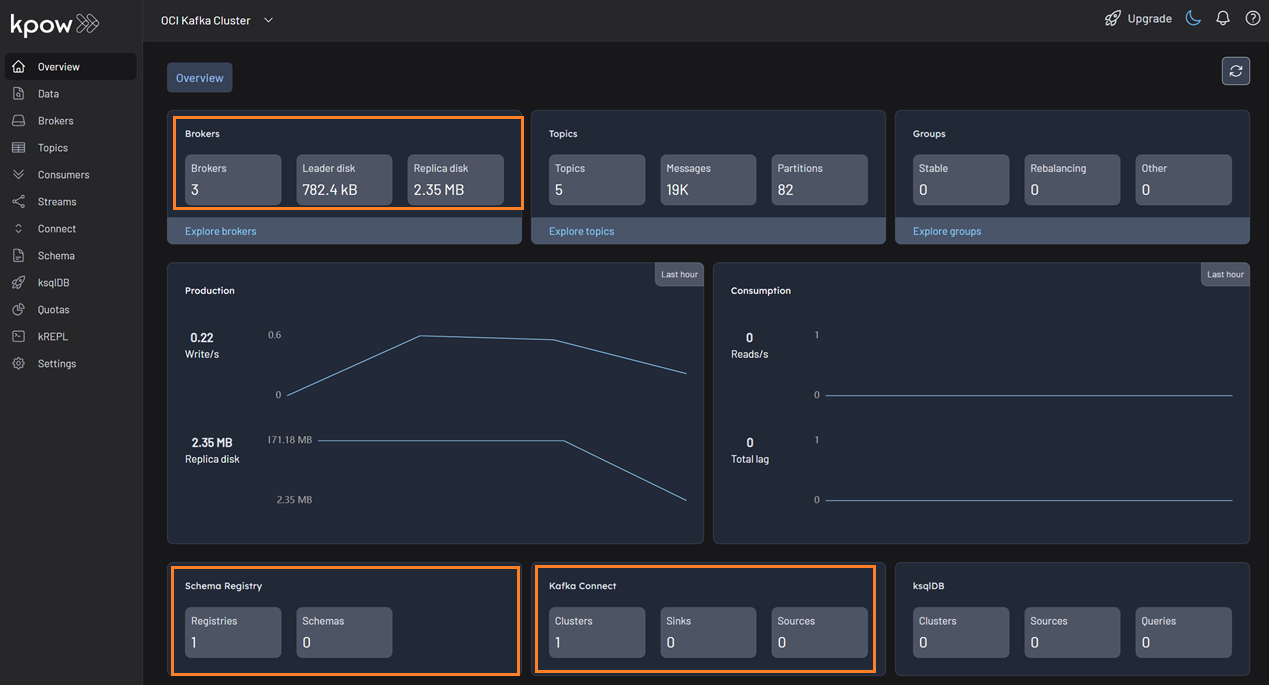
Kpow will now be accessible at http://<vm-ip-address>:3000. You will see an overview of your OCI Kafka cluster, including your self-hosted Kafka Connect and Schema Registry instances.
Deploy Kafka Connector
Now let's deploy a connector to generate some data.
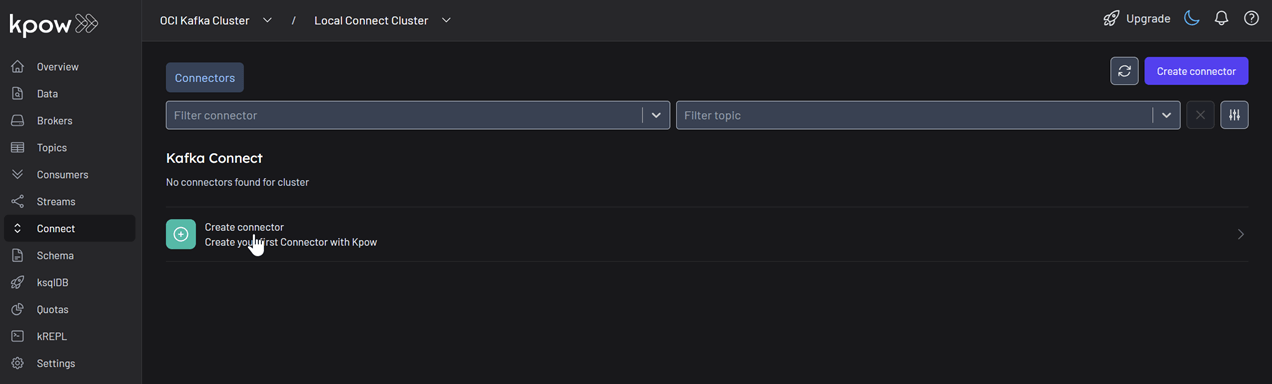
In the Connect menu of the Kpow UI, click the Create connector button.
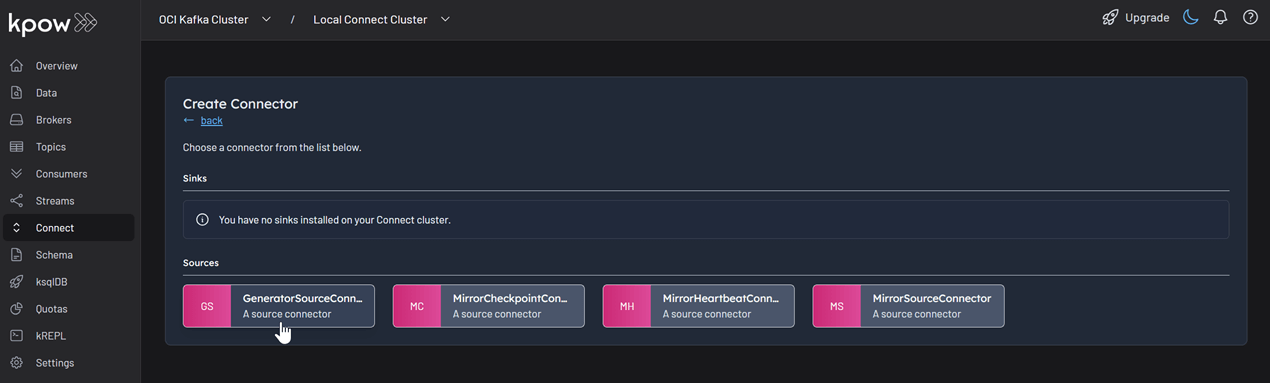
Among the available connectors, select GenerateSourceConnector, which is the source connector that generates fake order records.
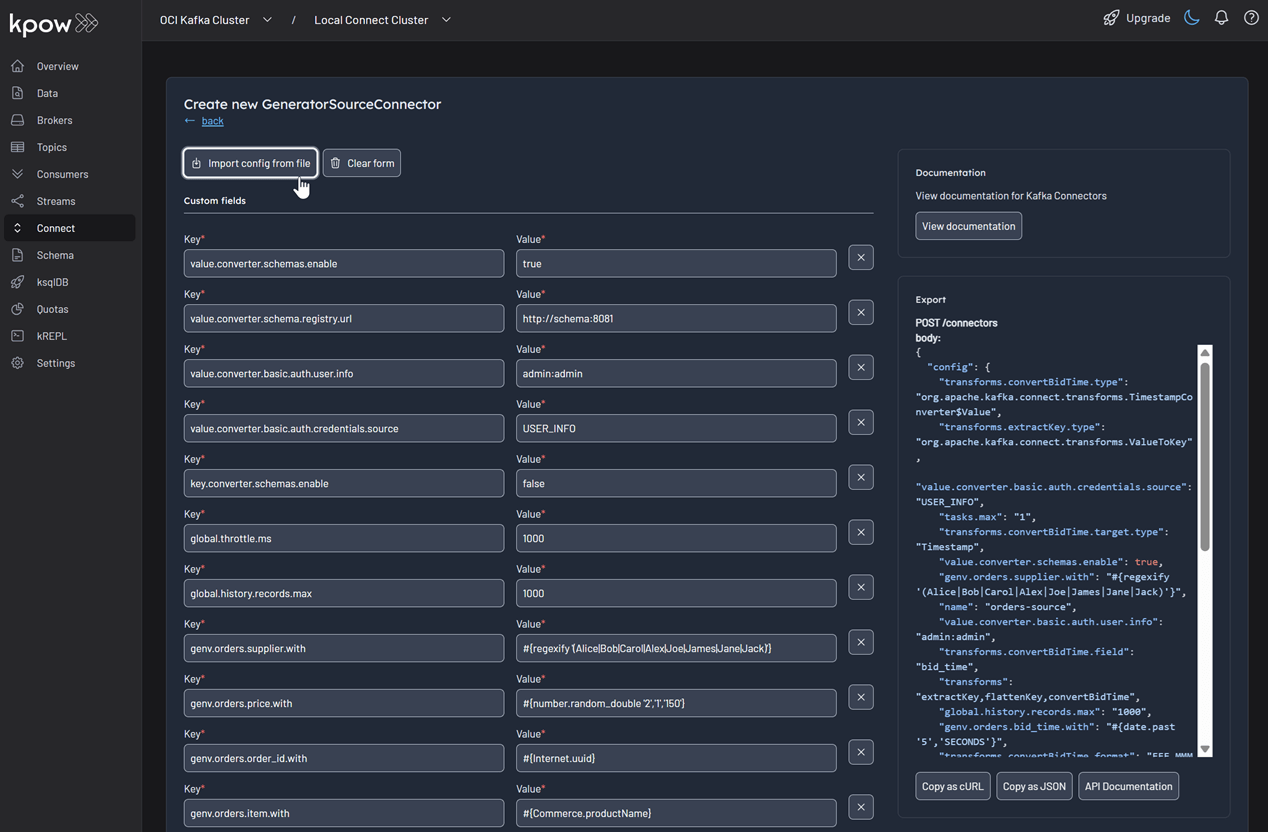
Save the following configuration to a Json file, then import it and click Create. This configuration tells the connector to generate order data, use Avro for the value, and apply several Single Message Transforms (SMTs) to shape the final message.
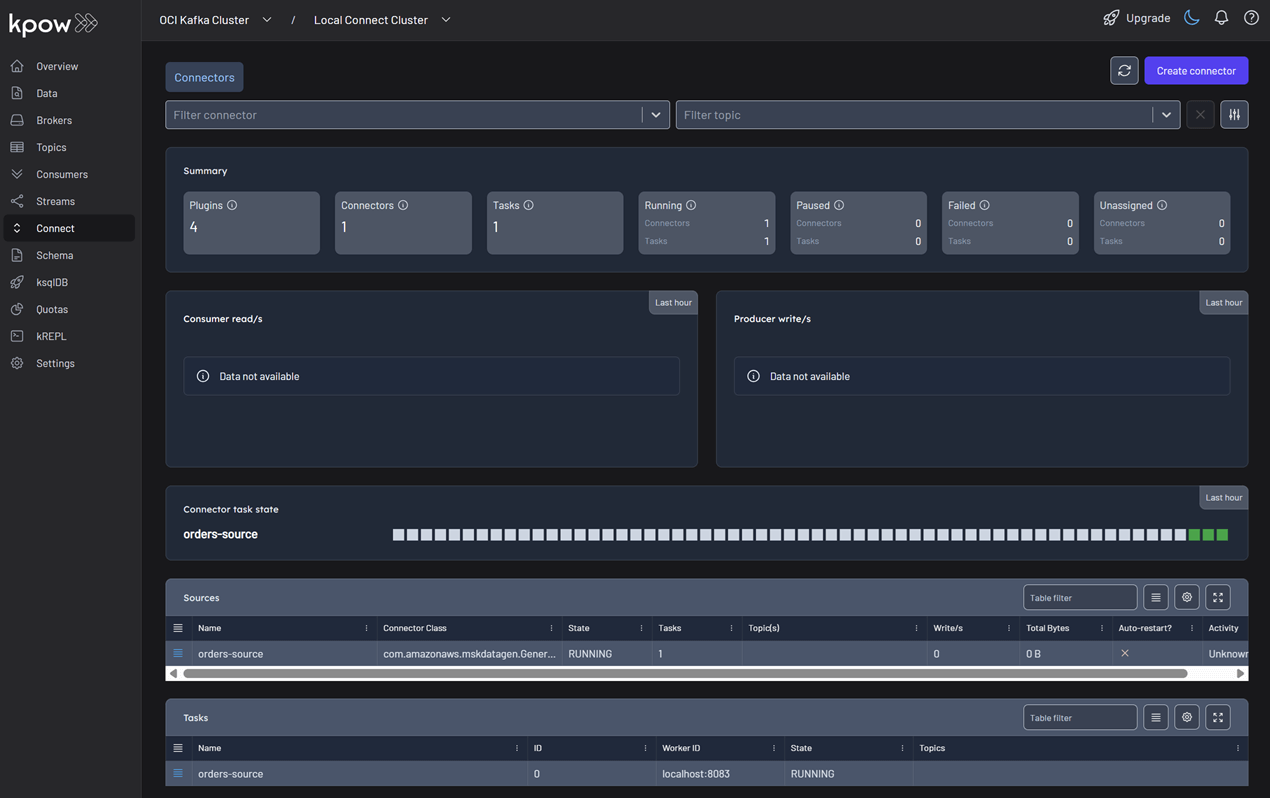
Once deployed, you can see the running connector and its task in the Kpow UI.
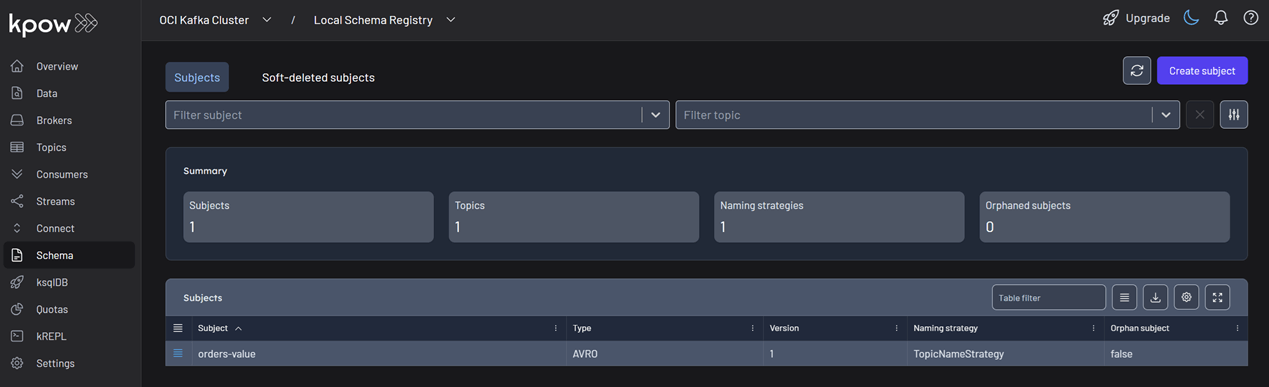
In the Schema menu, you can verify that a new value schema (orders-value) has been registered for the orders topic.
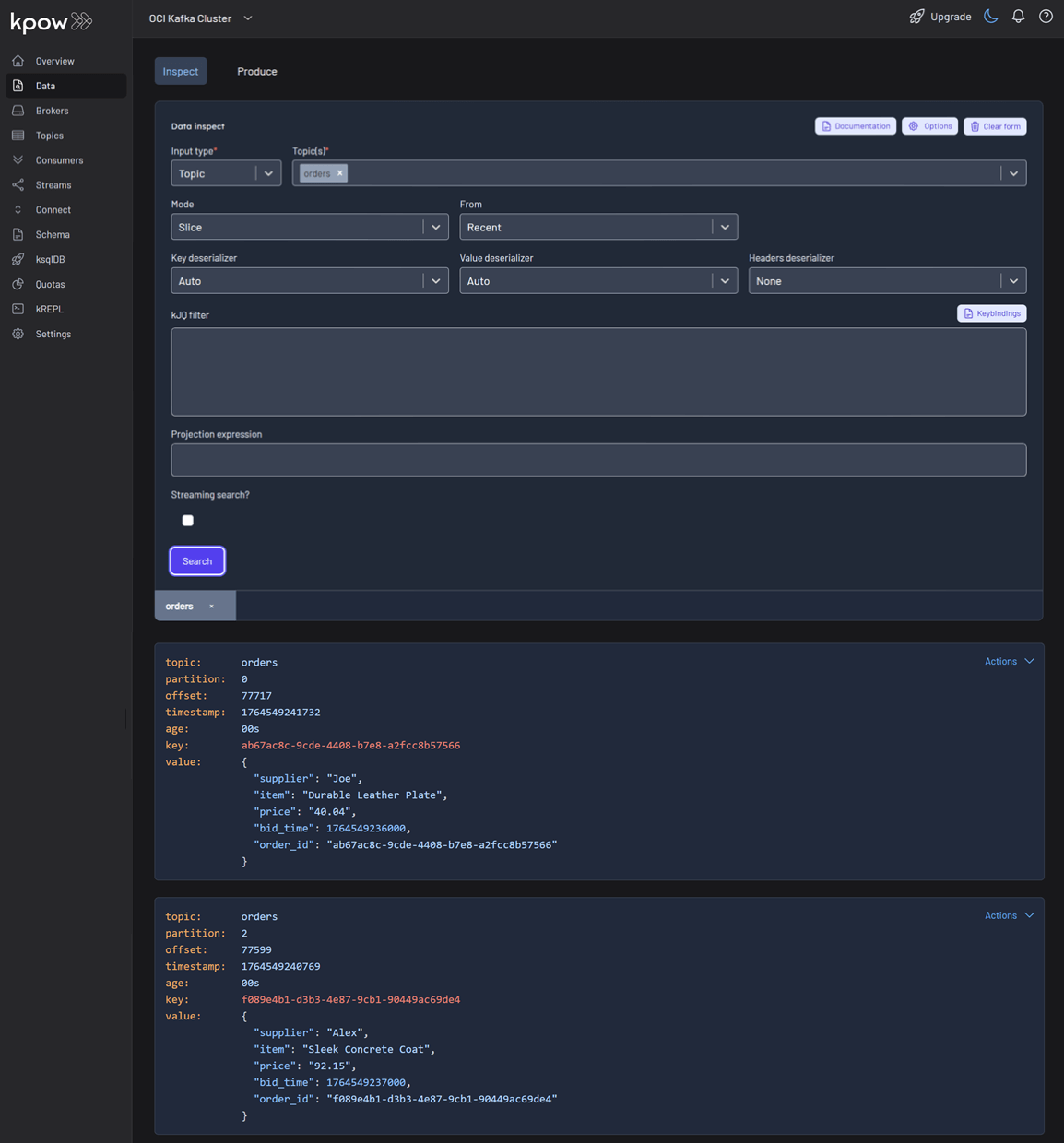
Finally, navigate to Data > Inspect, select the orders topic, and click Search to see the streaming data produced by your new connector.
Conclusion
You have now successfully integrated Kpow with OCI Streaming with Apache Kafka, providing a complete, self-hosted streaming stack on Oracle's powerful cloud infrastructure. By deploying Kafka Connect and Schema Registry alongside your cluster, you have a fully-featured, production-ready environment.
With Kpow, you have gained end-to-end visibility and control, from monitoring broker health and consumer lag to managing schemas, connectors, and inspecting live data streams. This empowers your team to develop, debug, and operate your Kafka-based applications with confidence.




.png)
.png)
.png)

.png)

.png)

%201.png)
%201.png)

.png)
.png)
.png)

.png)

.png)

.png)

.png)



.png)
.png)
.png)
.png)
.png)

.png)

.png)
.png)
.png)

.png)

.png)

.png)


%20(1).png)
%20(1).png)
.png)







.png)
.png)