New at Factor House: September 2026
Chad Harris, Solutions Architect at Factor House, and Derek Troy-West, co-founder and CEO, walked through the newest additions to the Factor House toolset, starting with fh, a single command-line tool that works against the Kpow API and is designed to grow across Kafka, Flink, and Iceberg. Almost everything available in the Kpow web UI is available from the CLI, which makes day-to-day operations like creating topics and resetting offsets scriptable in CI and automation.
The session centered on Chad’s live demos of the Factor House terminal UI, a keyboard-driven interface for topics, consumer groups, data inspect, Kafka Streams topologies, schema registries, and connectors, and of the new agent skills that give Claude, Codex, Copilot, and other agents the right Kpow context to answer operational questions. In the demo, Claude found a connector that Kafka Connect reported as running but that was failing to reach its database, and proved in seconds that a service was consuming data normally, a question Chad said used to take ten minutes to answer by hand. Derek then covered how Factor House manages CVEs, the zero known CVEs in the 96.5 application jar, new Alpine and Docker hardened base images, and the heap savings from JVM 25, before previewing October: Factor Platform reaching general availability with multi-cluster and multi-technology search, a redesigned Kpow UI, and Signals becoming generally available. Questions from the audience covered OCI Streaming, using the skills with other models, and how OIDC authentication means agents inherit the same role-based access and tenancy controls as a user in the web UI.
Recorded at the New at Factor House: September 2026 session on 23 September 2026, this product update gives Kpow users a practical look at bringing their Kafka operations to the terminal and to AI agents, and at what’s arriving across Factor House’s products next month.
Full transcript
Chad Harris: I'm Chad Harris, and I look after product at Factor House, with a bit of solutions architecture on the side, which is where I came from originally. Before that I was an engineering lead at Block, heading up their Kafka teams and all of their Kafka work. I love Kafka so much that I decided to join the best company for Kafka tooling and continue my journey here.
Derek Troy-West: I'm Derek, co-founder and CEO of Factor House. I've been here since the start, and I'm one of the main technical troublemakers in the company, working on the product vision and getting the whole team to deliver across the suite of tools we're bringing out.
Chad Harris: The first things we want to show you are a CLI, a terminal user interface, and a set of agent skills. They're tightly coupled: if you get the CLI, you get the terminal UI and the agent skills as part of it. There's new documentation on our website covering all three, including how to install. It's integrated with Homebrew, so you can add the Factor House tap and brew install it, and there are binaries for various platforms and architectures. The one requirement is that the Kpow API is enabled. As long as it is, everything you see today will just work. We support unauthenticated access if you're running locally, username and password, and OpenID Connect, which matters for reasons we'll come back to later.
The command is fh, short for Factor House, because this isn't just a Kafka tool. There's a little bit of Flink, a little bit of Iceberg, and a few other things coming, so you'll have one CLI across more of your streaming infrastructure. I was inspired by the AWS CLI, where one tool covers all of their services. Everything today is under fh kafka, so fh kafka topic list gives you your topics, with the scrolling tables and niceties you'd expect from a modern CLI, plus limits, sorting, and filters to narrow things down. I was a platform engineer for many years and my life was at the terminal, which inspired a lot of what you'll see. Almost everything available in the Kpow API is available in the CLI, so you can create and delete topics, reset consumer group offsets, and view lag, and because it's a CLI you can script it and run it in CI, which makes it a big enabler for automation. If you don't want to type kafka every time, fh k works too. You can also list consumer groups and their state, look at connect clusters and the connectors running on them, and browse schema registries, including specific schema versions and diffs between them.
On the connect side, keep in mind that every connector on that airline cluster reported as running. That often trips people up: the basic metrics say your connector infrastructure is up, so you assume everything is fine. We'll come back to that.
Several times, sitting on a train, I'd use k9s, the Kubernetes terminal UI that every platform engineer knows, and I wondered what k9s for Kafka would look like. That's where the Factor House terminal UI came from. It looks a little like the Kpow web app: brokers, topics, groups, schema registries, charts for throughput and lag, and Signals, which are a new set of alerts, warnings, and notifications that help keep your cluster healthy. It's all keyboard navigation. Number keys jump between pages, shift with the arrow keys moves along them, and in each view N and P move to the next and previous tab. On the topics page, pressing enter selects a topic, so the config, reassignment, and ACL tabs show just that topic. On any table, the forward slash key brings up a filter so you can find what you're looking for quickly.
My favourite part is data inspect. From a topic, pressing I drops you straight into it, and you can search across multiple topics at once, with each topic on its own tab. Most of the features from the web app are there: you can set the window to search from the earliest offset, write kJQ queries, and make it a streaming search. I searched for all the baggage that went through Singapore with a limit of 5,000, and those records load into the session, where you can drill into the details of each one by pressing enter.
Groups are exciting too. Select a group and you get its members, assignments, lag, and rates, the topics it consumes, and any ACLs. From assignments, pressing A lets you reset offsets for that member to the latest, current, or earliest offset, and O does the same for a single partition. That's the first mutating action in the terminal UI, and topic creation and deletion are coming soon, which I think will be really helpful for local development with Community Edition. If you're using Kafka Streams, you can navigate the topology and see the throughput and lag for every node, from the for-eaches and flat maps through to the sink. We run several schema registries in our demo environment, AWS Glue, Karapace, and Confluent, to show that we work with all of them, and N and P move between those too. There's broker information with disk configuration and KRaft details, and ACLs. As a sneak peek, if you're using Flex or Factor Platform, you'll also see your Flink clusters and jobs, with restarting jobs and taking snapshots coming soon. And on the connect page there's a red line on one of our connectors, so let's find out why using AI.
The easiest way to install the agent skills is with the CLI, fh skills install. It puts the skills wherever your agent normally keeps them, whether that's Claude, Copilot, or Codex. You can also add our marketplace to Claude or Codex as a plugin, but I think the CLI is easier. The most important thing with agentic workflows is the context you give them. With bad or poor context, agents perform poorly, and with good data and good instructions, they perform well. Kpow has a rich and accurate set of data across your whole cluster, so these skills package up the right context for the agent to make the right decision. Over time we'll keep refining them so the agent reaches answers faster and uses fewer tokens, because the more accurate the context, the fewer tokens it needs.
So I asked Claude whether my connectors were healthy. It told me 11 of 12 are healthy and the airline Postgres connector has failed. It went into the connector and pulled out the exception: it can't obtain the database encoding because the connection is refused. So this is an RDS issue, not a Connect issue. The connector reads as running only because the worker is up, and it pointed out that restarting the task would just fail again, so go and fix the database.
The question I was asked more than any other as a platform engineer is why a service isn't getting any data. At least half the time the service was getting data and something internal was going wrong, but it was always hard to prove, and when it genuinely wasn't getting data it took a lot of work to find out why. Is there no producer, or is there a poison pill event it keeps tripping over? When we write these skills, we tell the agent which datasets to ask Kpow for when someone asks that question. The verdict came back that the service is getting data: all four topics are being produced to and consumed, with the message rate, lag, consume rate, and last commit for each, and the groups are stable. That would have taken me ten minutes to prove on a good day. It also noticed that one instance restarts regularly, which can cause lag from time to time. In this case that's an automated task in our test environment that replaces a node every 20 minutes, but it's a good observation, and it gave me the CLI command to monitor it myself. Finally I asked for my biggest lagging topic, and it came back with our Iceberg control topic, at a lag of only 114, so nothing to worry about.
The CLI and agent skills are available to download today. The terminal UI is enabled by the next Kpow release, so until then fh tui shows a coming-soon message.
Derek Troy-West: The terminal UI will be available in the 96.5 release, which I'm expecting to go out today, so everything Chad showed is something you'll be able to use almost immediately. Alongside the CLI integration with Claude, we're also working on a full MCP server, so keep an eye out for that in the coming months.
Before I talk about October, I want to cover security and CVEs. We've always been thorough about keeping on top of CVEs, and we've now documented how we approach CVE management and hygiene, how we report current CVEs in our products, how to report a vulnerability, and how we manage end-of-life and legacy images. Something we've all been experiencing this year is that AI scanning has hugely increased the rate of CVE notifications. Jetty and Netty, the networking frameworks that power our products, are seeing far more reports from the community because AI is finding vulnerabilities faster. Every push to trunk is scanned against the NIST National Vulnerability Database, and where possible we remediate immediately. As of the 96.5 release, there are zero known CVEs in our application jar, which is the most important part of our scanning.
The other aspect is the base image, if you use our Docker container. Our standard is the Amazon Corretto image, which is Amazon's recommended image for AWS, and we also provide tags for the Red Hat Universal Base Image and a few others. In 96.5 we're adding two more. Alpine Linux is much more constrained, with far fewer operating-system utilities and so far fewer reported CVEs, and Amazon Corretto also has a Docker hardened image, which we'll offer as an optional tag for each product. Over time we may move to one of these as our default, but that takes care, because whenever we change anything in our standard container we find customers depending on the base image being a certain variety. If you adopt either one successfully and prefer it, please let us know, because that will shape how quickly we move. Also, one or two minor releases ago we moved to JVM 25 in our container, and we've seen a 25% reduction in heap usage. That's mostly down to compressed object headers, a JVM 25 feature that anyone running JVM applications in containers should know about, because you may see similar gains in your own applications.
In October, Factor Platform becomes generally available. It's a multi-technology product that integrates Kafka, Flink, and Iceberg, with Apache Spark coming next year. It's highly available, so you can run multiple instances and scale out as you add users, and some customers are looking for a linearly scalable platform, so it's a little more heavyweight than our Kafka and Flink tooling. It has a full OpenLineage integration: we extract lineage metadata from your schema registries and build lineage datasets, which enables things like dynamic data masking based on schema metadata. We're also bringing multi-cluster and multi-technology search, so you'll be able to run data inspect searches across Kafka and Iceberg together, and with Chad's CLI, terminal UI, and agent skills on top of Platform, you'll be able to ask Claude questions that span technologies. We'll be showing it in full at the Databricks Data + AI World Tour in Chicago and at Current in San Francisco, so come and say hello if you're there.
We'll also be showing the new Kpow UI, which arrives in the 97 release branch in October. Moving into a multi-technology space means making better use of screen real estate, so the UI is much more compact. The graphs have been upgraded, the side menu groups a few things together, and there's a new, very fast table implementation. Where pages used to stack tables, such as topics above topic partitions, there's now a tabbed layout. User information has moved to the bottom, where you can join our Slack and download the CLI and MCP server, and there's a new in-app What's new with the changelog and highlights for every version. Signals is available in Kpow today behind a feature flag and becomes generally available in 97. It derives insights from the large amount of context we have about your Kafka resources, covering brokers, topics, schema registries, and consumer groups, with findings such as tiny partitions and partition data skew graded as errors or warnings, plus broker and topic summaries you can drill into. As we bring Signals into Platform, it will have even richer multi-technology context to draw on. The UI remains WCAG 2.1 AA accessible, so if you or your colleagues use assistive technologies or screen readers, you'll still have that level of support.
Toby: Our first question: we use OCI Streaming in our organization, so will these capabilities work for it?
Derek Troy-West: Absolutely. If Kpow is connected to OCI Streaming and the API is enabled, everything Chad demonstrated with the agent skills will be available to you.
Toby: How is data privacy and protection managed with the new tools, specifically the agent capabilities?
Derek Troy-West: That's probably the most important question when introducing agentic capabilities into any product, and we're very conservative about it. The CLI accesses the Kpow API, and the API can be governed by a choice of authentication models. New in 96.5 is OIDC support for the API, and Chad's CLI was authenticated with OIDC, so there's a user profile behind it. That user is governed by exactly the same role-based access controls and tenancy controls as if they'd logged into the Kpow web UI, so the security model extends through the API to agentic access. Role-based access controls constrain what users and agents can do, such as creating topics or deleting consumer groups. Our tenancy support goes further: for a user with a particular role, you can restrict the resources they can see to a subset of topics, connectors, schemas, or consumer groups. When an agent authenticates as that user with OIDC, it's isolated to only the resources in that tenant.
Toby: Some people are looking to use the agent skills with other AI models.
Chad Harris: Out of the box, the skills install for Copilot, Claude, and Codex, or you can put them in the generic .agents folder and configure whichever agent harness you use. Answers depend on two things: the context we give the agent and the quality of the model. You may get slightly different answers, but because we give the agent so much accurate data and good instructions, even cheaper models should work quite well. The installation instructions are on the website, and I'll add explicit Codex and Copilot instructions today.
Toby: Can you expand on searching across multiple clusters and how you're thinking about it?
Derek Troy-West: Data inspect is one of the most used features in Kpow, and we already have very performant multi-topic search. In Factor Platform we're extending that so you can search across multiple clusters at once, with the same search experience you know from Kpow, just with more scope. There are use cases where that's really useful, such as verifying ad hoc that a message exists in both clusters when you're replicating with MirrorMaker. Where we're really excited to take it is across technologies. We have Iglu, a new product for Iceberg, coming out, and Iceberg will also be part of Platform, so you'll be able to construct a single query that searches Kafka and Iceberg together, across multiple topics and namespaces, to confirm how messages flow from Kafka into an Iceberg table.
Toby: A final reminder on how to get access to the terminal UI.
Chad Harris: The CLI and agent skills are available today, and they require the API to be enabled on Kpow. The terminal UI is built into the CLI, so you just run fh tui, but it depends on the next Kpow release. Today you'll get a coming-soon message. Once you're on the latest version, run brew update on the CLI and the terminal UI will appear.
Toby: Thank you, Chad and Derek, and thanks everyone for joining and for your questions. If you have questions afterwards, email [email protected] and they'll come straight through to the team. We also have a Kafka User Group coming up for North American time zones on October 28, and we hope to see you there.
Speakers
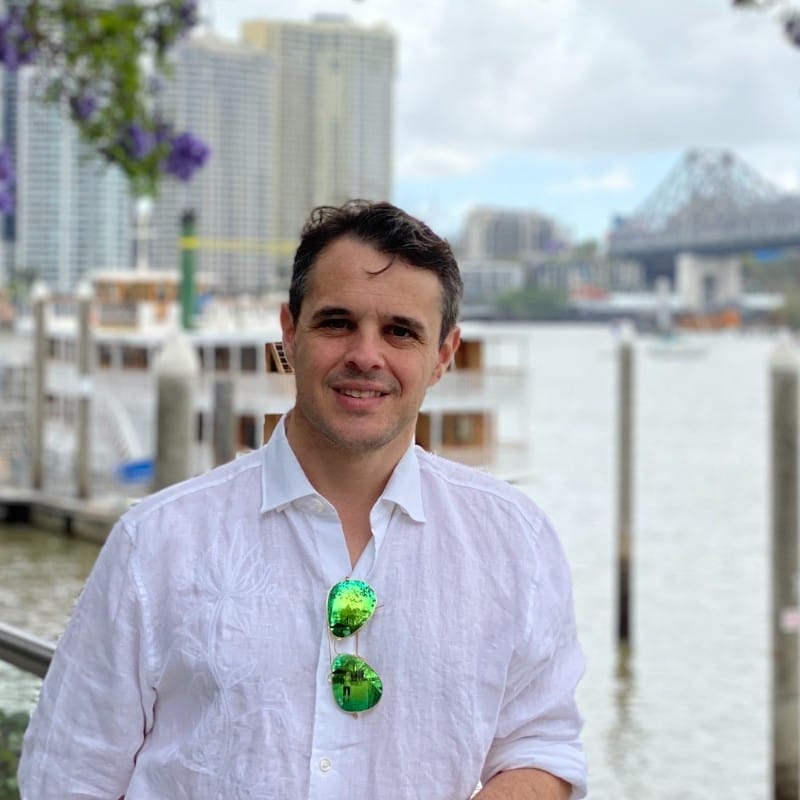
Solutions Architect, Factor House
Chad Harris is a Solutions Architect at Factor House, bringing 18 years of experience across software engineering, application architecture, and engineering leadership. He has deep hands-on expertise with Apache Kafka, high-volume transactional systems, and PCI-compliant architectures, most recently as an Engineering Leader at Block (formerly Square). At Factor House, Chad works directly with global enterprise customers to help them improve how they manage, govern, and observe their real-time data.

Co-founder & CEO, Factor House
Derek Troy-West is co-founder and CEO of Factor House. A lifelong software engineer and long-standing member of the Clojure community, Derek has spent over two decades building distributed systems and streaming platforms for organisations across financial services, retail, and beyond. He founded Factor House in 2019 to give Kafka and Flink teams the tooling they need to ship faster and operate with confidence.
Recorded live at New at Factor House: September 2026 (Americas)
Try Kpow for Apache Kafka
The Kafka management console built for platform and data engineers.
Learn more
